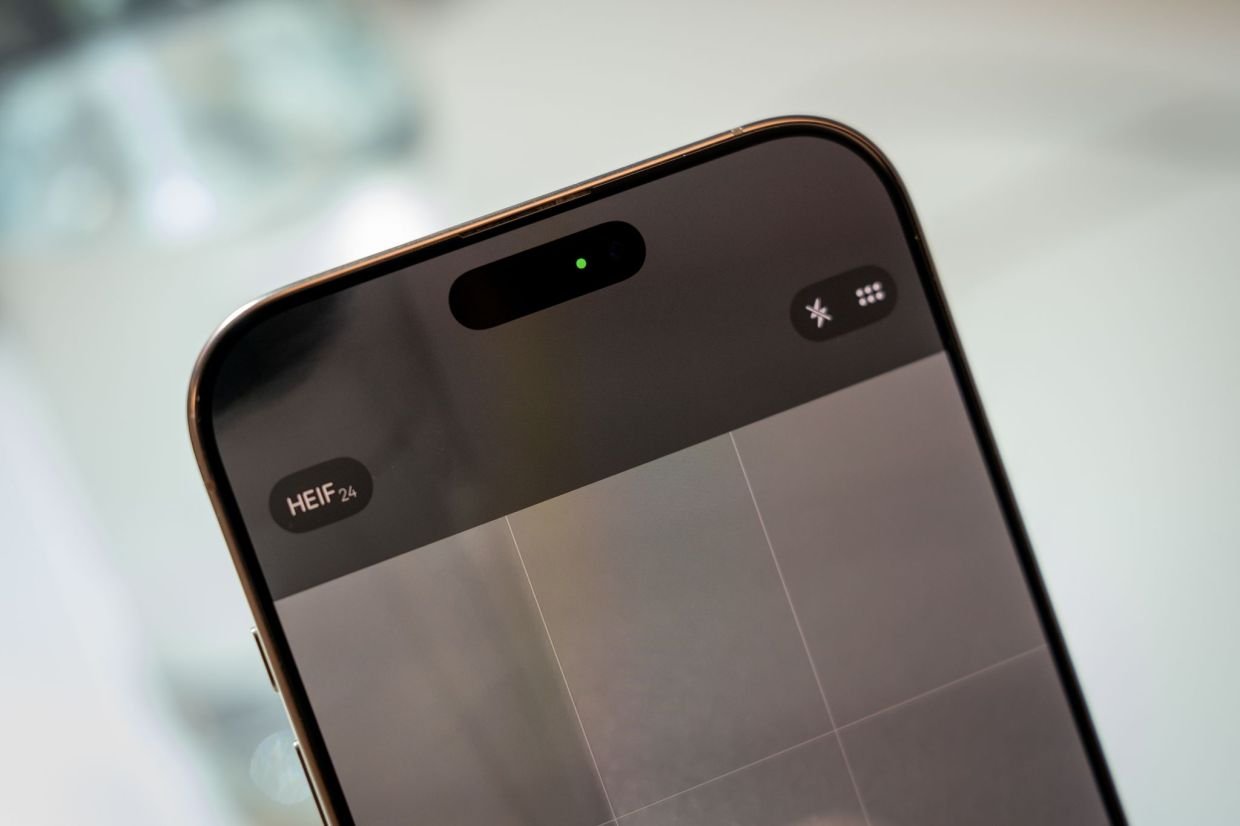
BERLIN: Sometimes you see small, coloured dots in the centre or the right side of the top of your phone screen.
Now they are there, now they are gone – you may wonder what they mean.
It’s simple. On an iPhone, they mean the following:
- Green dot in the status bar: An app is currently using only the camera, or the camera and the microphone.
- An orange dot in the status bar: an app is currently using the microphone.
This is a way to inform users when the camera is running or the microphone is recording, so they are alerted if an app may be using the devices unexpectedly or secretly.
Android dots are different colours
On Android devices, the colour-coded system has been very similar since operating system version 12. A green dot at the top right-hand corner of the screen indicates that
- the camera,
- the camera and the microphone, or
- the microphone are currently in use.
Android, however, does not use an orange dot, but you may see a blue dot.
A blue dot on the right-hand side of the screen indicates that an app is accessing location data. The dot is a brand-new addition to Android 16 and came in March 2026.
Meet the placeholder dot
There’s also a white dot on Android that occasionally appears more or less in the centre of the top edge of the screen, but it has nothing to do with privacy or access control.
The white dot usually simply indicates that, in addition to the system icons currently on display, there are actually more that should be shown but due to a lack of space, not all of them can be displayed at the moment.
The dot then stands for all the icons that are not currently displayed. – dpa