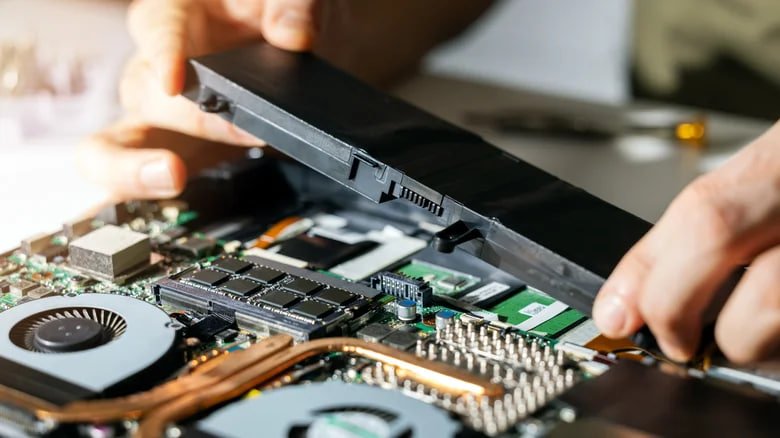
If you have an old laptop with a worn or bloated battery, the idea of unplugging it and running it off the mains only, saving you money on buying a new laptop, sounds appealing. How true is that?
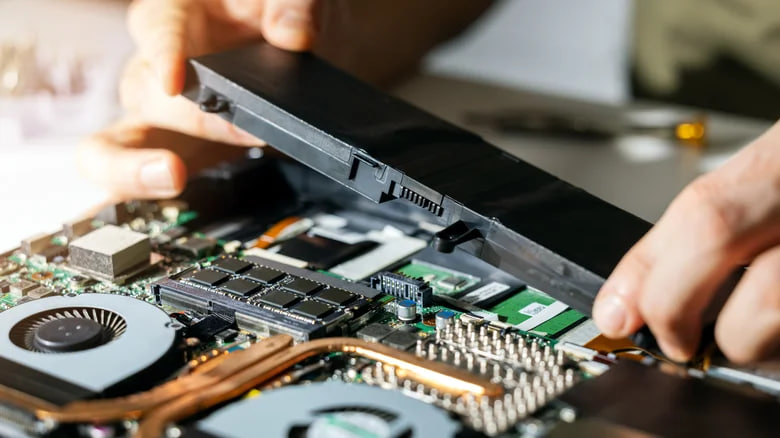
Photo: Ronstick/Getty Images
Many laptops can be powered directly from an adapter and run without a battery, essentially turning into a stationary personal computer. But such a regime is suitable not as a permanent scenario, but as a temporary solution wrote BGR.
To understand why, it is necessary to remember the difference between a laptop and a desktop computer. Inside the laptop are the same components – processor, graphics and memory – only they are compactly placed in one case. The main difference is that the laptop has a battery, which is not only a source of energy, but also acts as a kind of buffer.
In modern models, when the battery is fully charged, power can come directly from the network, bypassing the battery, so the laptop can work without a battery.
In most cases, if the laptop is plugged in, the lack of battery will not affect performance. This is especially true for older models with removable batteries. However, there are exceptions. For example, the performance of an Apple laptop with a removed battery can be significantly reduced. Because the battery also acts as a temperature controller. Without it, the system can forcibly reduce the frequency of the processor to prevent overheating.
What are the disadvantages of using a laptop without a battery?
The main danger of working without a battery is the lack of protection against power outages. If there is a power surge or a power outage, the laptop shuts down immediately. This can lead to data loss and file corruption. In this sense, the battery acts as a source of continuous supply.
If you’re using a laptop without a battery, it’s important to take basic precautions. It is necessary to connect only the original power adapter and avoid low-power charging devices – this can damage the laptop. Some users deliberately disconnect it from the mains during continuous operation in order to slow down the wear of the battery. In this case, the battery is usually kept at about 40-50 percent charge.
Despite all the subtleties, replacing the battery is a more reasonable solution. Without it, the laptop loses speed and becomes completely dependent on the mains. In addition, even a weak battery that can work for 10 minutes can save data when the light goes out – this is enough time to save files and complete work.
In some older models, such as the HP ProBook line, the battery is part of the body structure. After removing it, space remains, so it is uncomfortable to use the laptop “on the lap”.
The bottom line is that a laptop can be used without a battery, especially if it’s faulty. But this is a temporary measure. In the long run, it is safer and more convenient to replace the battery. If the battery is swollen, it should be removed immediately.